

Slotsking Login
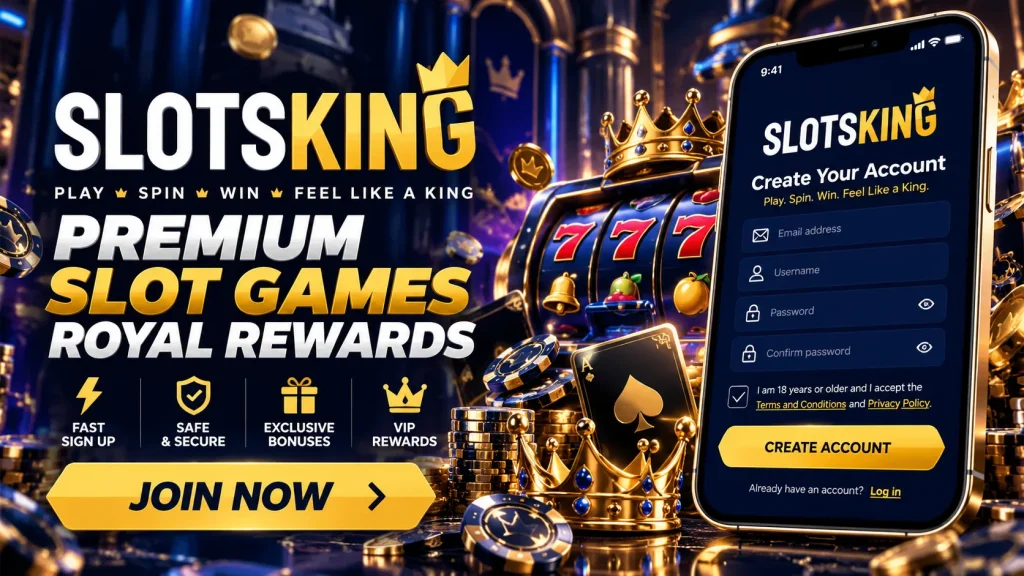
Creating an account takes a few minutes. The first sign-in is where you want everything to feel solid. This guide takes you from registration to your first Slotsking login. It then covers the settings, security habits and recovery steps worth knowing before you ever need them. If you are still deciding, have a look around the Slotsking site first and come back when you are ready to get in.
From Registration to Your First Sign-In
When you register, two details become your keys: the email address you entered and the password you created. You may also have a username, which is what we ask for if you contact us. Before your first Slotsking sign in, open the confirmation email we send and click the link inside. If it has not arrived, check your spam and promotions folders and make sure the address was typed correctly. Confirming the email proves the inbox is yours, which matters later if you need a password reset. Once that is done, your Slotsking account is ready. The same details work for Slots king login in a browser or in the app. Keep your date of birth and UK address exactly as you gave them, because they should match your ID if we ever need to check it.
Signing in on the website
- Type our address into your browser yourself, or use a bookmark you saved, and check for the padlock icon.
- Select Log In at the top right of the page.
- Enter your registered email or username and your password. The eye icon lets you check for typos.
- If you have switched on 2FA, enter the current code from your authenticator app.
- Tick the stay-logged-in box only if the device is yours, then confirm.
Your first Slotsking casino login may also prompt you to look at deposit limits and reality checks. It takes a minute and is easier to set now than later.
Signing in on the app
- Install our app only from the official App Store or Google Play listing, or via a link you reach by typing our address yourself.
- Open it and tap Log In.
- Enter the same email or username and password you use on the website.
- Add your 2FA code if it is enabled.
- Allow notifications if you would like login alerts on your phone.
A Slotsking app login connects to the same account, so your balance, limits and settings match across every device.
Setting Up Easy Access From Day One
Typing a password at every visit gets old, so we offer two comfortable shortcuts. The first is the stay-logged-in option, sometimes shown as remember me. Use it on your own phone or laptop that has a screen lock, never on a shared, work or library computer. On any device that is not yours, log out manually when you finish, because closing the tab may leave the session open. If you switch to a new phone, expect to complete a full Slots king sign in again. That is by design, not a fault. You can also review and end active sessions in your account security settings, which is handy if you have signed in somewhere you no longer use.
Turning on Face ID or fingerprint
Biometric login is available in the app on supported phones. To enable it:
- Sign in with your password first.
- Open your account settings and go to Security.
- Switch on Face ID or fingerprint login.
- Confirm with a scan when your phone asks.
Your scan stays on your phone, and we never receive or store it. Keep your password safe too, as you will need it after a phone reset or on a new device. If your Slotsking app login ever refuses the biometric check, the password still works.
Getting Security Right From the Start
A strong password is the cheapest protection you have. Aim for something long and unique to us. Three random words plus a number and a symbol is easy to remember and hard to guess, an approach the UK’s National Cyber Security Centre also recommends. Never reuse the password from your email, bank or another casino, and consider a password manager. Your email deserves equal care, since anyone who controls it can request a reset. Give that inbox its own strong password and 2FA as well. Treat your Slots king login like your bank details: do not share it with a friend, or with anyone claiming to help.
Two-factor authentication and alerts
We recommend turning on 2FA before your first deposit. Choose an authenticator app over SMS where you can. Text messages can be diverted if someone hijacks your SIM, while codes generated on your own device cannot. Store your backup codes somewhere offline. Once 2FA is on, watch for the login and new-device alerts we send by email. Every Slotsking sign in from a device we do not recognise may trigger one. If an alert arrives and it was not you, change your password straight away and contact us. Never read out or type a 2FA code for anybody else.
Recognising our real login page
Phishing is the most common trap for newcomers. We will never ask for your password or verification code by email, chat or phone, and no genuine message from us needs them. Do not follow login links from texts, social media or emails. Type our address yourself or use a bookmark. On the real Slotsking login page, the address bar shows our exact domain with a padlock, and credentials are requested only at the normal steps. Be wary of look-alike spellings, urgent “account suspended” warnings, or requests to confirm card details by reply. If in doubt, close the page and ask us through live chat on our site.
Knowing the Recovery Route Before You Need It
Forgetting a password is normal, and the fix takes minutes if you know the path. This is the Slotsking password reset flow:
- Select Forgot Password beneath the login form.
- Enter the email address registered to your account.
- Check your inbox, and your spam folder, for our message.
- Open the link promptly. It is time-limited for your protection.
- Choose a new password that you have not used anywhere else.
- Return to the login page and sign in, adding your 2FA code if prompted.
After a reset we may sign you out of other devices, so expect to log in again on your phone and re-enable stay-logged-in if you want it.
Expired links and outdated email addresses
Reset links expire, and only the most recent one works. If you requested several, use the newest email. If the link says it has expired, request a fresh one and open it quickly. If nothing arrives after a few minutes and spam is empty, check for typos and think about any other address you might have used. If you no longer have access to the email on file, do not create a second account. Contact our support team instead, and we will guide you through confirming your identity so the address on your Slots king account can be updated safely. Duplicate accounts can lead to restrictions.
Common First-Login Problems and Quick Fixes
Most issues are minor. Check this table before you contact anyone.
| Issue | Likely cause | Fix |
|---|---|---|
| “Incorrect email or password” | Typo, caps lock or an old saved password | Reveal the password with the eye icon, clear browser autofill, or reset it |
| Confirmation email missing | Spam filter or mistyped address | Check spam, then ask for a resend or contact us |
| 2FA code rejected | Expired code or phone clock out of sync | Wait for a new code and set your phone time to automatic |
| Page will not load | Cache, old browser or weak connection | Refresh, clear cache, update your browser or try another network |
| Account temporarily locked | Several failed attempts | Wait a little, then reset your password or contact support |
| Slotsking app login fails after an update | Outdated app version | Update from the official store and try again |
A Gentle Note on Verification
Like every casino serving UK players, we must confirm who our customers are, in line with UK Gambling Commission requirements. That is why a new account may be asked for photo ID, proof of address or, sometimes, proof of a payment method. It is a routine step that protects you and keeps withdrawals running smoothly. You can usually still sign in while documents are reviewed, though some features, withdrawals in particular, may be paused until we finish. Upload clear, full-page images in the verification area, using details that match your registration. If your Slotsking account shows a restriction or block message, the cause may be verification, a security lock or a self-exclusion tool such as GAMSTOP. Our team can tell you which applies.
Where to Get Help
If your first sign-in goes wrong, we are here around the clock. Our 24/7 live chat is the quickest route. You can also email us, and our help centre covers many of the questions above. Before you reach out, have your registered email address and username ready, plus a short note of what you saw, such as an error message. Never send your password, full card number or 2FA codes, because we will not ask for them. Whether it is Slotsking login trouble on a phone or a Slots king sign in query from a laptop, we will point you to the next step. Once you are in, set limits that suit you and play only with money you can afford to lose.